![LOGO ON LEFT NO SLOGAN ON TRANSPARENT BG-2.png]](https://support.greenprojecttech.com/hs-fs/hubfs/LOGO%20ON%20LEFT%20NO%20SLOGAN%20ON%20TRANSPARENT%20BG-2.png?height=40&name=LOGO%20ON%20LEFT%20NO%20SLOGAN%20ON%20TRANSPARENT%20BG-2.png)
What is the supplier profile?
Your supplier profile is your central hub for sharing environmental data with your customers. It brings together everything from your carbon footprint to your renewable energy usage in one place, so your customers can see exactly where you stand.
How is the profile structured?
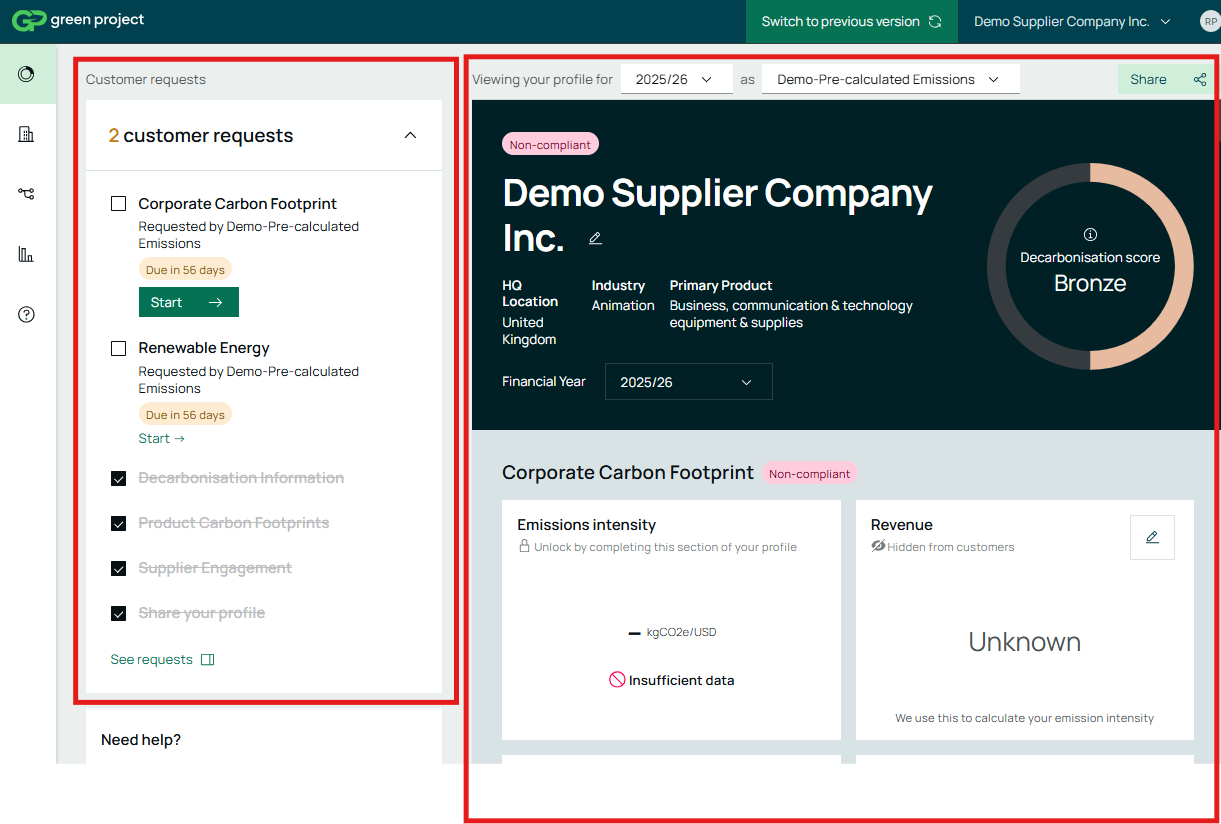
The profile is split into two sides. On the left, you'll work through each section to enter your data. On the right, you'll see a live summary of what you've submitted — this updates in real time as you go, so you can always track your progress.
Setting your financial year
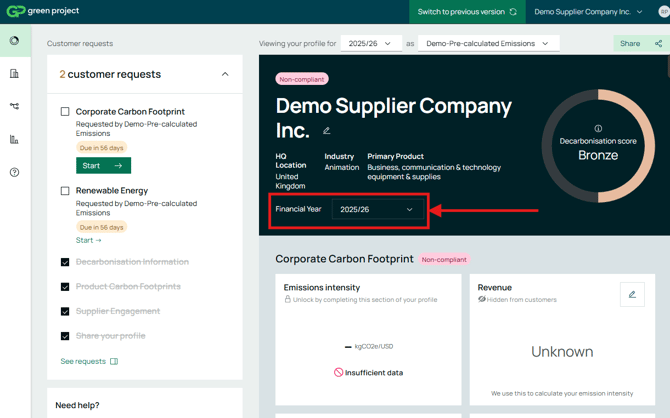
The first step is to set the end date of the financial year you're reporting for. This ensures all the data you submit aligns with your company's reporting cycle.
You can also add a newer/older financial year in your profile:
Viewing and managing customer requests
When a customer sends you a data request, it appears in your requests panel. Each request corresponds to a specific section of your profile — Corporate Carbon Footprint, Product Carbon Footprint, Decarbonisation, and so on. You can work through them one by one, and they also appear as tasks on your sidebar so nothing gets missed.
Sharing your profile
Your profile remains non-compliant until you actively share it with your customer. To do this:
- Click Share on the relevant request
- Go to Access Requests
- Click Approve
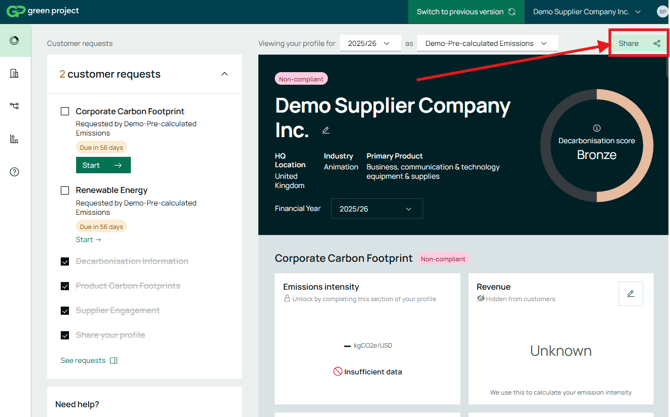
Once approved, your customer will be able to view your submitted data. You can manage and review all access requests from the same panel.
Editing your data
You can edit your financial year and other submitted data at any time by navigating back to the relevant section and making changes.